Ensoniq SQ-80
Ensoniq's "Cross Wave" performance synth - the ESQ-1's louder, more expressive sibling, and a machine that wants a known-good keypad board before you trust anything it tells you.
Overview
Ensoniq was upfront about the SQ-80's lineage. The service documentation opens with a section headed "Important things to know about the SQ80" and says the instrument is similar to the ESQ-1 in many ways, with a handful of major differences that matter to anyone opening the case. Think of it as an ESQ-1 with deliberate changes. Ensoniq's period advertising in the trade press billed it as a "Cross Wave Synthesizer" with "Poly-Key" keyboard technology. It ran alongside the EPS Performance Sampler, which offered 96dB dynamic range and a built-in 8-track MIDI sequencer, as part of a two-pronged push into studio and stage work (Mix, February 1988, p.120). The same campaign described it as studio technology built for performance.
The big feature is the keyboard. Ensoniq's service notes describe it as a poly-pressure keyboard that is "a complex module which contains its own computer and software." It is not a keybed bolted to a main board. It is an intelligent subsystem in its own right. Display information to the main board is routed through the keyboard, so a dead display doesn't necessarily mean a dead display board. Ensoniq's troubleshooting guidance warns that what looks like a frozen display can be a bad keyboard. What looks like a bad keyboard - a display stuck at the calibration page - can be scrambled RAM that needs to be dumped. Two failure modes, one symptom, opposite repairs.
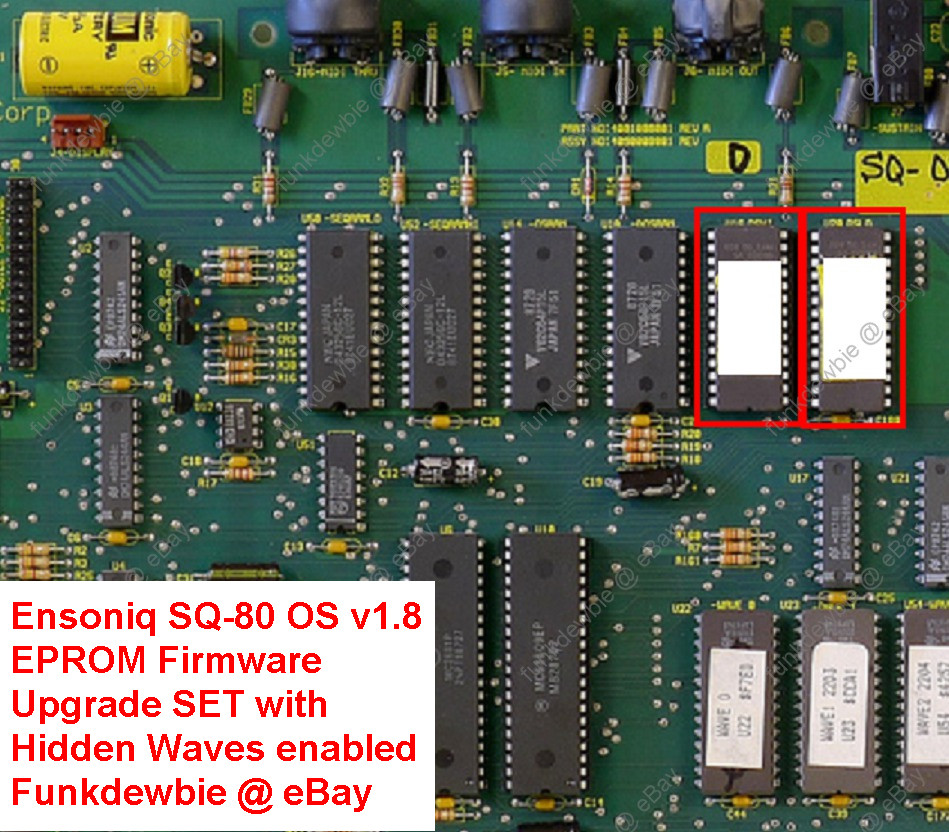
The keyboard runs its own operating system on an EPROM mounted to the PC board on the bottom of the keybed. Ensoniq documented the version check: hold the RECORD button and press MASTER, and the display reports the main operating system version followed by the keyboard operating system version. Units with serial numbers below 500200 may carry a keyboard OS lower than 150. In that case Ensoniq's guidance was to obtain the latest version and replace the EPROM. The final software revisions are documented as 1.80 for the main OS and 150 for the keyboard OS, which is why "OS v1.8 EPROM upgrade" listings still circulate on the used market decades later.
Storage came on floppy. The service documentation describes the SQ-80's drive as similar to the one used in the DSK-1, with one important difference: it's double-sided. Ensoniq used two different drives across the production run, and the split matters if you're sourcing a replacement. Early units, roughly serial numbers 500001 through 500630, shipped with a Panasonic JU-364 (part 8622999492) with a red LED drive light. From roughly 500630 onward, the drive was a Sony 63W-00D (part 9722000501) with a yellow LED. The two use different 34-pin ribbon cables, and the Sony's pinout is reversed relative to the Panasonic's. So Ensoniq's own instruction was to note the serial number before ordering a replacement and to install an identical drive whenever possible, which also avoids a cable swap. Ensoniq also documented a planned transition to a Panasonic JU-253 (part 9722000601) from approximately serial 501770 up, distinguished by a red LED and a door over the drive opening, sharing the Sony's cable.
Internally, the SQ-80 went through a board revision that affects how you reassemble it. Two main board versions exist, distinguished by the part number screened near the center of the board. Part 4090008001 requires both a main board shield and a keyboard shield. Part 4090008002 requires neither. The changeover came at approximately serial 500890. Ensoniq's instruction is plain: if a unit has shields, put them back; if it doesn't, don't add them. Earlier units sometimes carried a ground wire attached to the ground square on the main board and then to the metal main board shield, a belt-and-braces measure to preserve grounding if the main board ground screw hole had stripped. Where that wire is present, it has to be fed through the opening in the shield and installed on the screw directly across from that opening.
Ensoniq's service literature describes the SQ-80 as "essentially a computer with over 80K of memory," and treats it that way. The recommended test procedure requires a cassette tape deck, a short MIDI cable, a foot switch, a control voltage pedal, and an EEPROM storage cartridge, with the synth connected in stereo to a sound system. The documentation says bluntly that the instrument is heavily software dependent and that certain events can cause it to glitch and "contract a severe case of amnesia." Scrambled software can produce symptoms that look hardware-related, so Ensoniq strongly recommended the use of correlation modules, particularly a known-good keypad/display board, when tracking down faults. If the keypad/display board is of unknown condition, it can confuse the diagnosis, and the guidance is to test that module first using the self-test mode.
Memory retention is a documented weak point. The service manual's test procedure has the technician create a short sequence, then power-cycle the unit five times, allowing the sign-on screen each time. Then the technician verifies that program names and sounds in each bank aren't scrambled and that a stored sequence still plays back correctly with its metronome countoff. Failure to retain internal programs and sequences may indicate the need for a ferrite bead addition. If a bead is already present, failure points to a main board problem. Failure to hear the metronome also indicates a main board problem. A unit may arrive with program and sequence data that matters to its owner, so Ensoniq's guidance is to save internal memory to disk before servicing, since repair may require re-initializing the system.
The tape interface is another documented quirk. Ensoniq's own notes call it "very level-sensitive," and recommend a good-quality tape deck with variable output control, levels set at 0 dB, and any noise reduction switched off. The tape output test has the user record a bank to tape and confirm signal on the deck's meters. The tape input test involves re-initializing the system, loading from tape, and checking that program names come back unscrambled. A persistent "TAPE NOT STARTED ON LEADER" message points to a non-functional tape input on the main board. But if the tape loads for a while and then reports fatal errors, the documentation says it's highly unlikely to be the main board and much more likely a level-setting problem.
One more mechanical note from the service literature, and a specific one: the weights inside the white keys of some early units have tended to fall out and roll around inside the case. The fix is to glue the weight back into the key with super glue gel. That's the entire remedy. No parts order, no service center.
Keyboard cabling matters if the keybed has been out. When reconnecting the keyboard cable to the main board, the red line on the cable must be on pin 1 and the cable must not be mis-pinned. If it is mis-pinned or installed backwards, fuses F3 and F4 blow and the display comes up blank. If either fuse blows, both need replacing. A blank display after a keybed service is therefore not necessarily a catastrophe, but it is a specific, documented mistake with a specific, documented cause.
Power supply checks are the documented first step for many faults. Ensoniq's guidance is to remove the four screws securing the front panel with a 2 mm Allen wrench, raise the panel, and verify that all connections are secure and correct. After that come voltage tests at the specified points, following a five-minute warm-up. On 220/240 VAC units there is only one correct configuration, denoted by both the transformer label and the part number silk-screened on the lower left of the power supply board: transformer labelled "1450000512 220/240V" with power supply labelled "4001008101." If the labels don't match that pairing, Ensoniq's original instruction was to contact customer service. The 1999 reprint of the manual annotates that line dryly, noting that this is "pretty useless nowadays." Ensoniq dropped support for the ESQ-1 and SQ80 completely.
The service procedure verifies stereo behavior by panning a program fully left and fully right and playing more than eight notes, confirming that only the expected channel sounds. Unplugging the left output while sweeping the pan control should leave the right channel unaffected. Failure indicates a main board problem.
The surviving documentation doesn't give the full musical picture. The service materials are deep on repair and thin on the voice architecture, the filter design and the character of the sound. What's confirmed is the shape of the instrument: a poly-pressure keyboard that is its own computer, a double-sided floppy drive with a serial-number-dependent parts split, two main board revisions split at roughly serial 500890, a software-dependent architecture that will confuse you if its RAM scrambles, and a manufacturer that walked away from support entirely.
eBay Listings


As an eBay Partner, we earn from qualifying purchases. This helps support our independent vintage technology research.